

TRUCKLOADERS
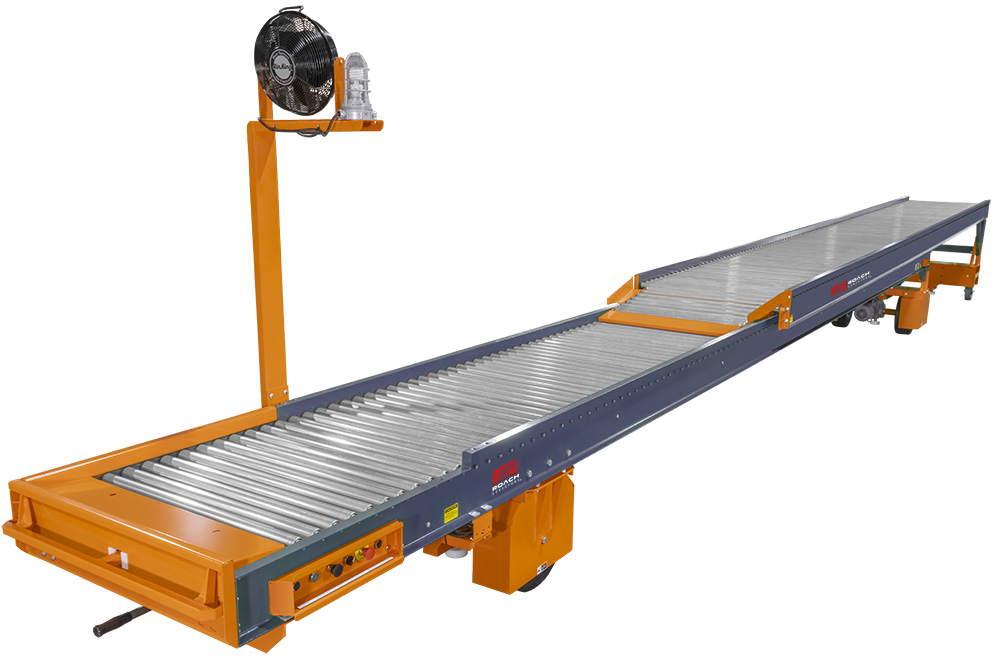
Applications
- Loading cartons and parcels into trailers at shipping docks
- Feeding parcel or package sortation systems into outbound trailers
- Container and trailer loading in distribution centers
- Bag or case loading from packaging lines to transport vehicles
- Cross docking operations where goods move directly from inbound to outbound trucks
- Trailer unloading processes in receiving operations
Industries
- Parcel and package distribution
- E-commerce fulfillment
- Third party logistics and contract warehousing
- Food and beverage distribution
- Retail and wholesale distribution centers
- Manufacturing shipping departments
- Postal and courier operations
Truckloader conveyors are designed to move cartons, parcels, bags, and similar unit loads directly from a facility conveyor line into a truck, trailer, or container. Installed at shipping docks or integrated with warehouse conveyor systems, these units extend into the trailer to reduce the distance operators must carry product. The conveyor transports product from the infeed point to the loading area, where workers place items for stacking or palletization inside the vehicle. Many systems retract when not in use, allowing dock space to remain open for forklifts and other traffic.
Truckloaders typically use either belt or roller conveying surfaces depending on the type of product being handled. Telescoping designs allow the conveyor to extend deep into the trailer and retract as loading progresses, supporting continuous movement of packages and reducing manual transport inside the trailer. Powered drives, gravity rollers, and accumulation sections may be used depending on the system configuration. This approach allows goods to move directly from upstream conveyors through the dock door and into the vehicle, creating a controlled product flow from warehouse floor to trailer.
Several configurations are used to match loading environments and product types. A TL2 | Two-Stage Truckloader provides telescoping reach for dock applications requiring deep trailer access. The GTL | Battery Powered Telescoping Gravity Truckloader offers a mobile solution that can be repositioned between dock doors. ATL | Accumulating Powered Roller Truckloaders are designed to buffer product during loading operations, while BTL | Belted Truckloaders use continuous belt surfaces to handle mixed cartons and irregular packages. Together, these systems support efficient trailer loading across distribution, parcel, and manufacturing operations.
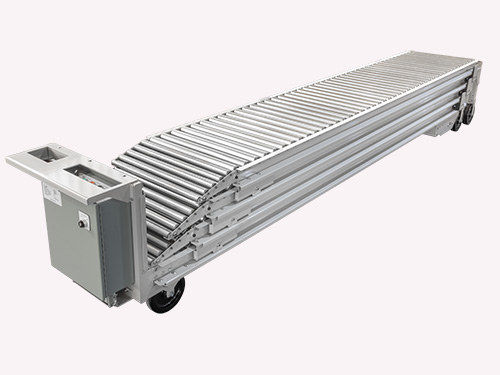
GTL | Battery Powered Telescoping Gravity Truckloader
The GTL | Battery Powered Telescoping Gravity Truckloader is a mobile conveyor designed for facilities that require flexible dock operations without permanent installation. The unit operates on battery power and uses gravity roller sections to move cartons toward the trailer interior.
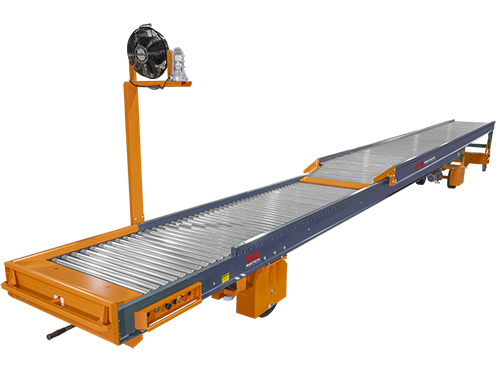
TL2 | Two-Stage Truckloader
The TL2 | Two-Stage Truckloader is a telescoping conveyor designed to extend from a dock door deep into a truck trailer during loading operations. The system uses two conveyor sections that slide within each other, allowing the operator to progressively retract the conveyor as the trailer fills.
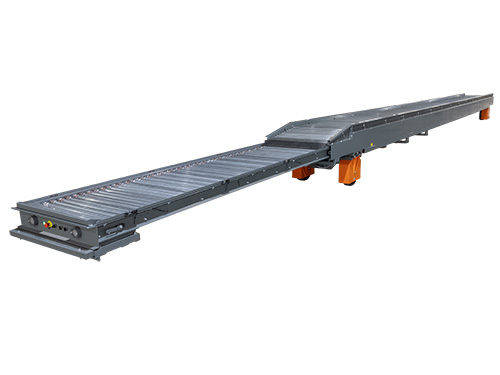
ATL | Accumulating Powered Roller Truckloader
ATL | Accumulating Powered Roller Truckloader uses motor driven rollers to move cartons into a trailer while allowing product to accumulate along the conveyor line. Accumulation zones temporarily hold cartons on the conveyor surface when the operator pauses loading or when space inside the trailer is limited.
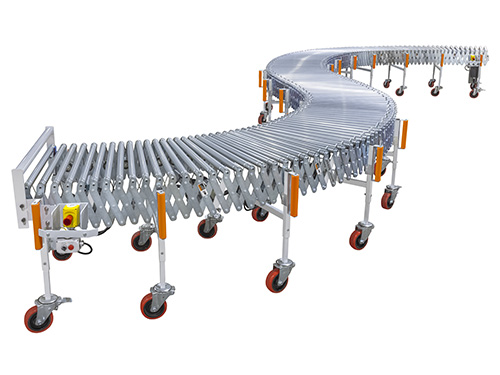
Flexible Conveyors
Flexible conveyors are expandable material handling systems designed to move cartons, totes, and cases in environments where layouts change or space is limited. These conveyors use a series of skate wheels or powered rollers mounted on articulated frames that extend, contract, and curve to fit temporary or permanent conveying paths.